GET NETSPECT
Stop counting heads
in a group chat.
Call a run, send one link, and let the app confirm who actually turned up. Pickup is free.

Android: coming soon
Free on the App Store for iPhone.
NETSPECT
NetSpect organises pickup basketball and — unlike the group chat you're using now — it knows who actually turned up, because it checks.
FREE ON THE APP STORE · ANDROID COMING SOON
THE DIFFERENCE
Every group already coordinates somehow, and that mostly works. What it can't do is tell you who was actually at the court — that needs someone to physically be there. NetSpect confirms arrival from your phone's location, at the court, during the game. Nobody has to tap anything, and nobody can claim a game they skipped.
Four confirmed at the court. Three more said they're coming. The two numbers never get added together, because they don't mean the same thing.
EVERY SCREENSHOT ON THIS SITE IS THE ACTUAL APP
HOW IT WORKS
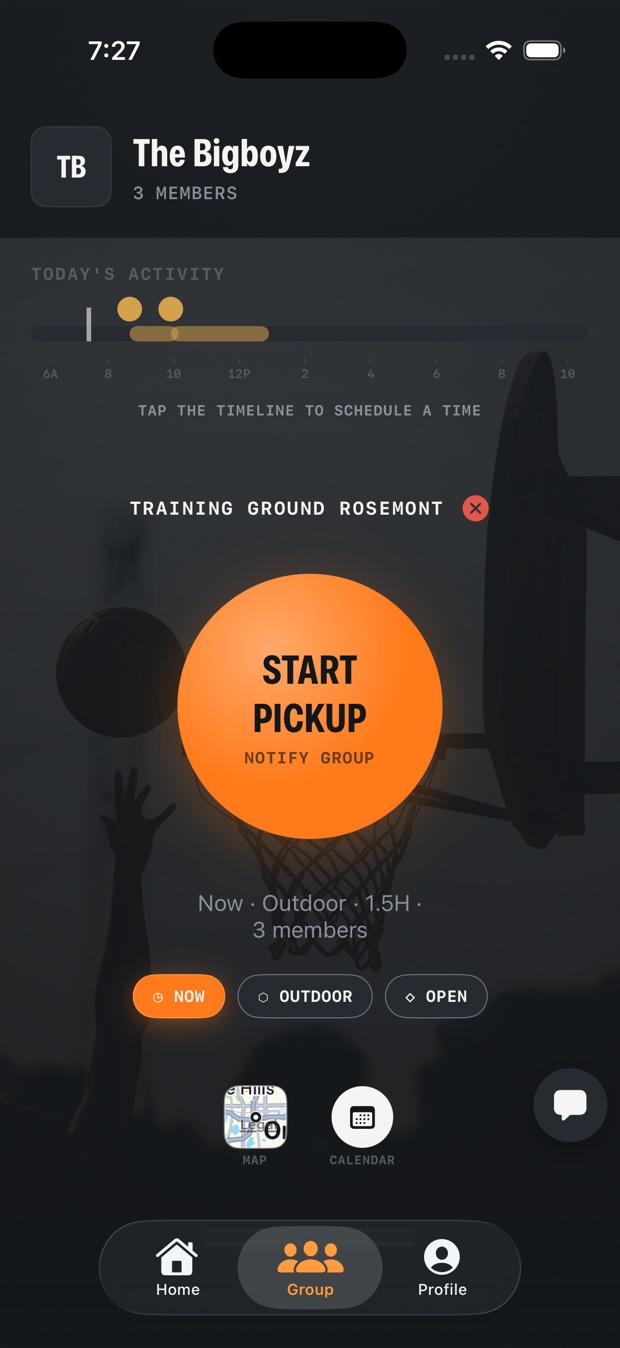
Pick a court, a day and how long you'll be there. Now, or later in the week.
Your group gets it, and so does anyone they forward it to. Anyone who holds the link and isn't in a group yet can join the game. It never pulls someone out of a group they're already in.
Arriving at the court is the check-in. Your phone can stay in your bag.
ALSO IN THE APP
Every run your group has called, with who's joined and who has already arrived.
Scoped to your own group, with games announced in it automatically as they're called.
An invite is a link, not a code to read out. Send it on and it still works.
Which days you played and how long you were there, built from arrivals rather than claims.
GET NETSPECT
Call a run, send one link, and let the app confirm who actually turned up. Pickup is free.
Android: coming soon
Free on the App Store for iPhone.